 Launch online app
 What is Piano Projector?
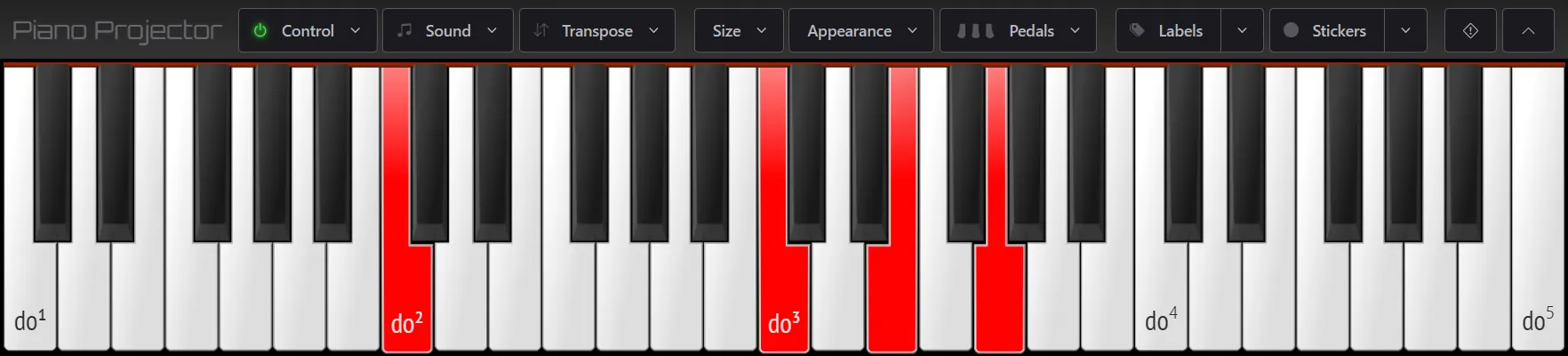
Piano Projector is a full-featured web app that displays a clean, responsive piano keyboard and highlights the notes you play on a connected MIDI keyboard. It's designed for music educators, students, and performers — perfect for classroom projection, online lessons, and musical demonstrations.
How to Use
- Launch the app using the button above.
- Click on the "Control" button to select an input device.
- If prompted, grant permission for MIDI access.
- Play on your MIDI controller or computer keyboard to see the notes light up.
- Drag the piano keyboard using your mouse to change its vertical position, and scroll to zoom in and out.
- You can resize the browser window or go fullscreen for classroom projection.
Features
- MIDI input support.
- Recognizes pedal input (sustain, sostenuto and soft).
- Adjustable keyboard size and colors.
- Various types of key labels and colored markers.
- Transposition support.
- Piano, organ and harpsichord sounds (optional).
- Works offline (based on PWA technology).
- Lightweight and open-source.
Keyboard shortcuts
- F2 - toggles labeling mode.
- F3 - toggles marking mode.
- F4 - sets tonic for Solfège label format.
- Ctrl+click - sets label/marker to all octaves.
- F9 - toggles toolbar visibility.
- F11 - go fullscreen.
- ALT - opens keyboard navigation menu.
- ESC - triggers MIDI panic.
Compatible with:
- Mozilla Firefox
- Google Chrome
- Microsoft Edge
- Any Chromium-based browser
Not compatible with Apple Safari.
Runs best on desktop or laptop computers.
Source Code
Piano Projector is free and open-source software. Its source code is available on GitHub, where you can view the repository, report issues, or contribute improvements.
Visit the GitHub repository.
This application is licensed under the terms of the GNU Affero General Public License version 3.